Email Signature
How We Look
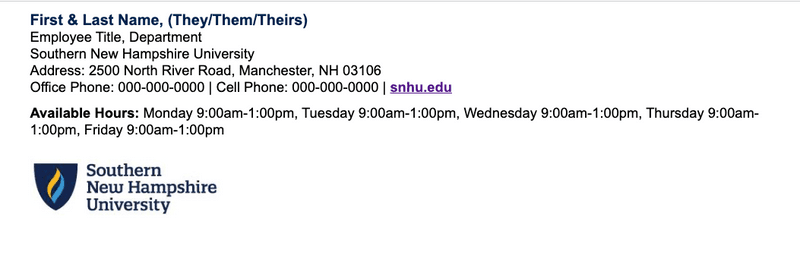
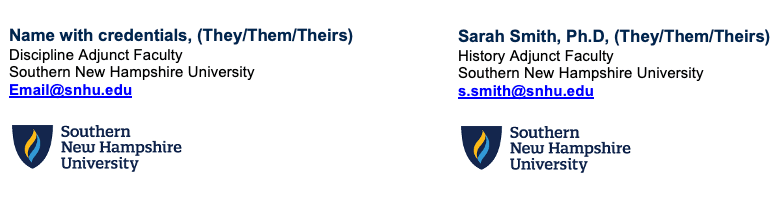
Your email signature is a key part of your professional identity at SNHU. Use the template below to ensure your signature follows brand standards — correct font, color, logo, and layout.
Download Email Signature Template
Copy the template into Outlook following the setup instructions below.
Signature Examples
Formatting Details
| Element | Specification |
|---|---|
| Font | Arial, 12pt |
| Name | Bold, 14pt, Navy (#00244E) |
| Links | Bold, underlined, Link Blue (#2066A2) |
| Logo | 200px wide, below contact info |
| Pronouns | Optional — include after name, e.g., (They/Them/Theirs) |
Order of Components
- First & Last Name (pronouns, if included)
- Employee Title, Department
- Southern New Hampshire University
- Address: 2500 North River Road, Manchester, NH 03106
- Phone numbers
- snhu.edu link
- Available Hours (optional)
- SNHU Logo
Setting Up in Outlook
- 1Download the email signature template file above.
- 2Open the downloaded
email-signature.htmlfile in a web browser. - 3Select all (Ctrl+A) and copy (Ctrl+C).
- 4In Outlook, go to File → Options → Mail → Signatures.
- 5Click New and name your signature.
- 6Paste the copied content into the signature editor.
- 7Replace placeholder text with your actual name, title, department, and phone numbers.
- 8Update available hours if applicable, or delete that line.
- 9Click OK to save. Set as default for new messages and replies as preferred.
Pronoun Guidance
Including pronouns in your signature is optional and encouraged. Place them directly after your name in parentheses — for example: Jane Smith, (She/Her/Hers). Common formats: (He/Him/His), (She/Her/Hers), (They/Them/Theirs).